Workplace safety
built for trust.
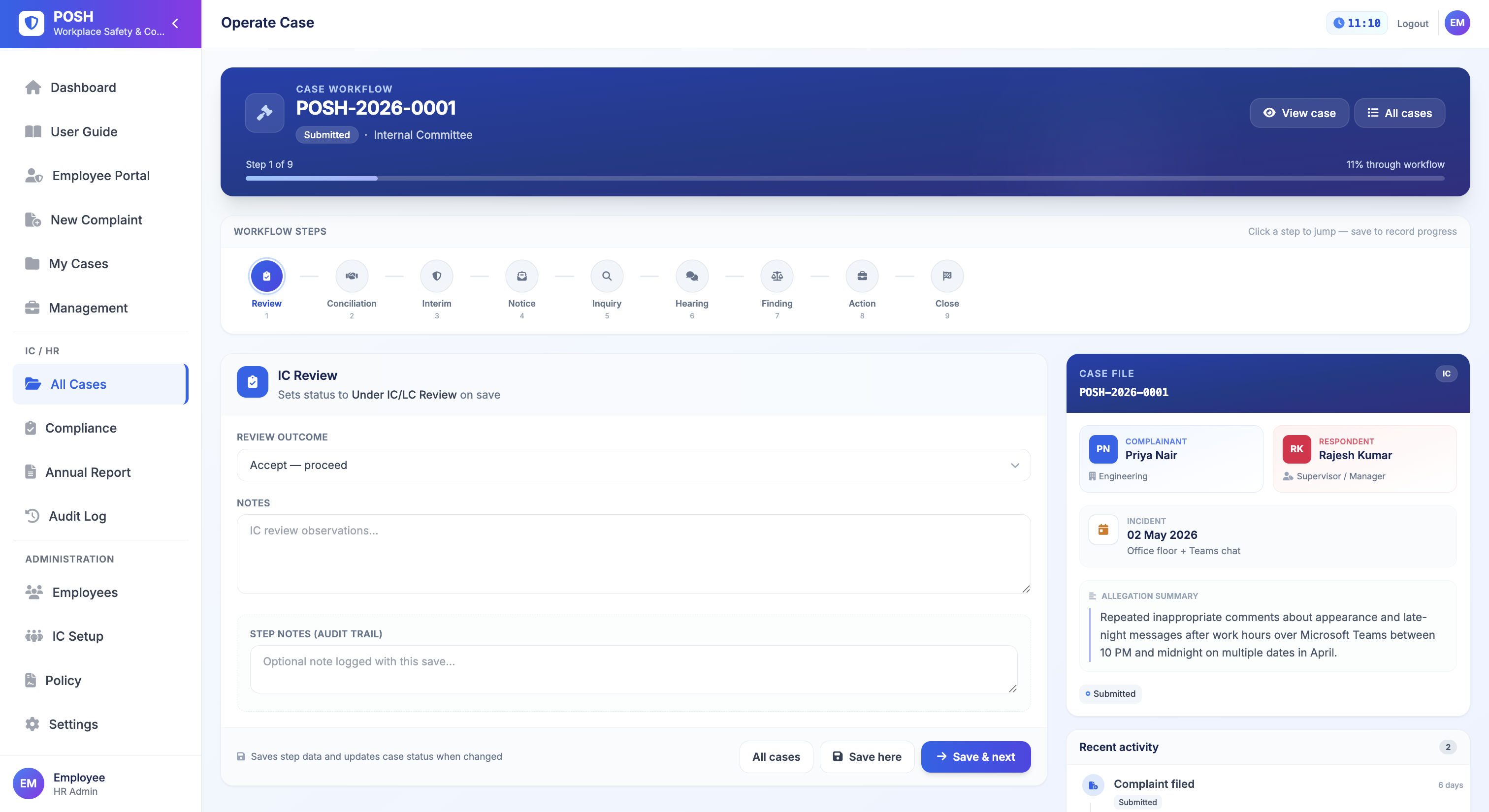
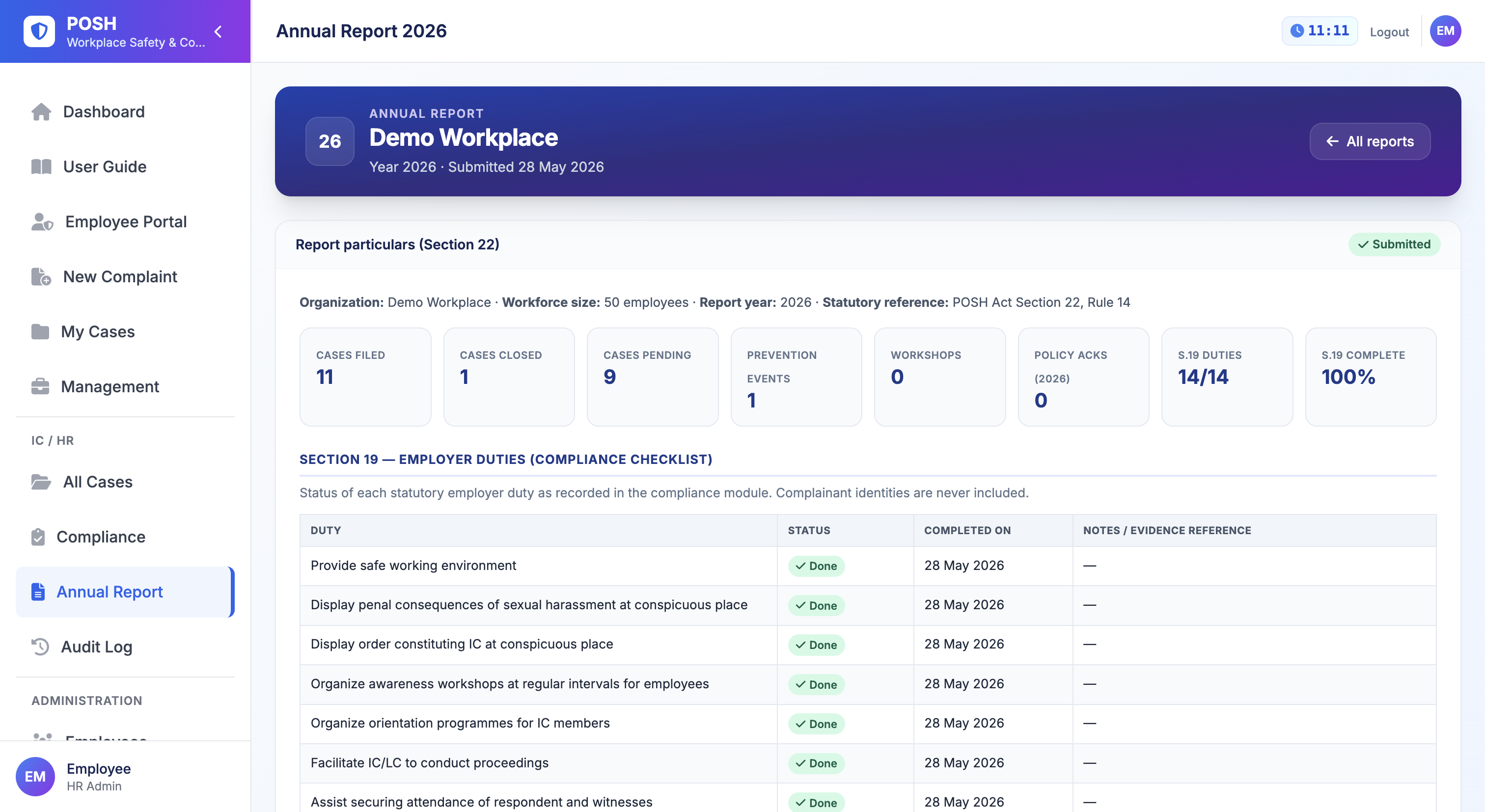
IC setup, confidential intake, 9-step inquiry, employer duties, and annual reporting — explore each module in detail below.
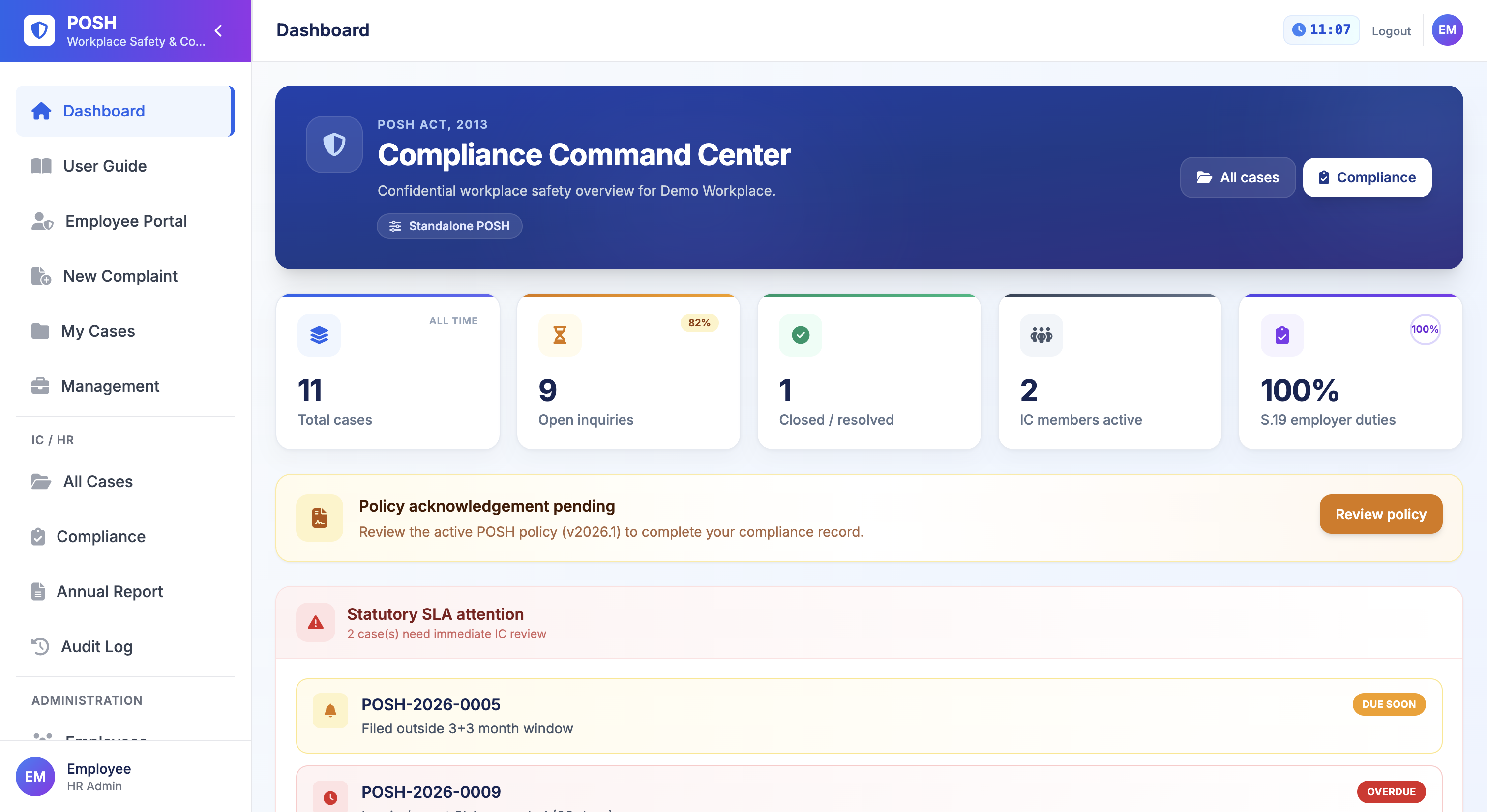
Dashboard
Main screen
Product modules
Full POSH process covered
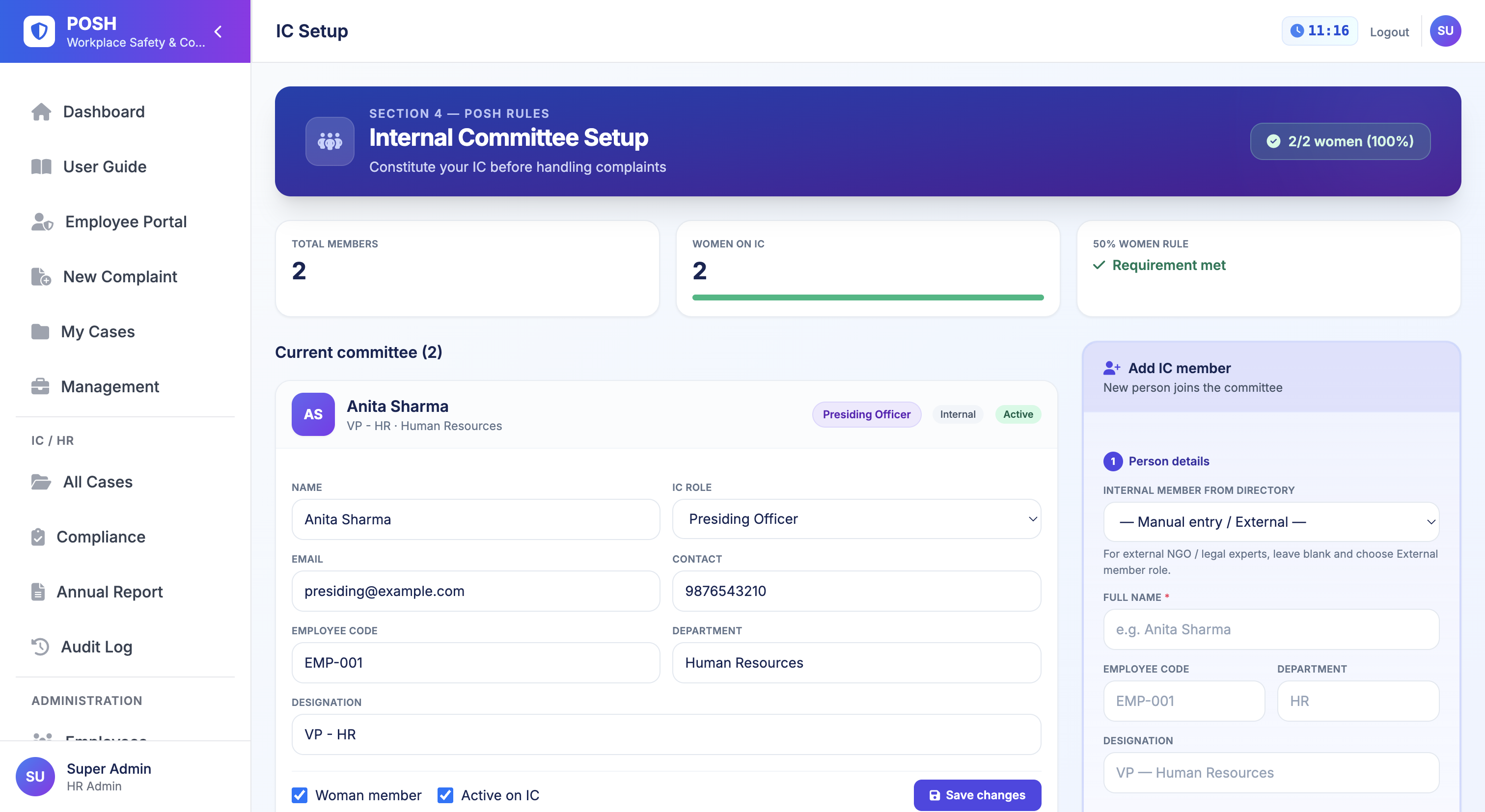
Step IC wizard
Sections 9–12 covered
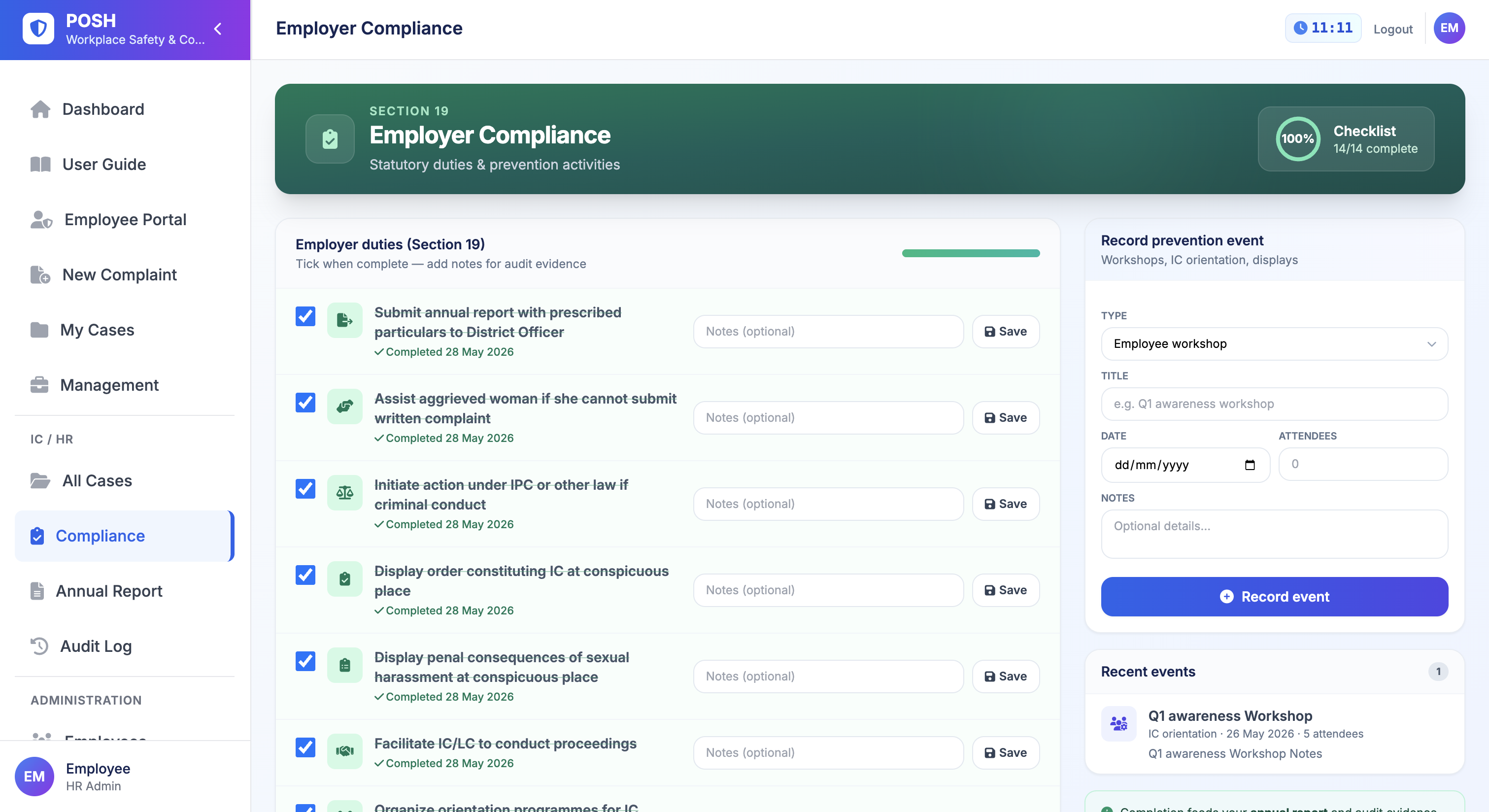
Employer duties
Section 19 checklist
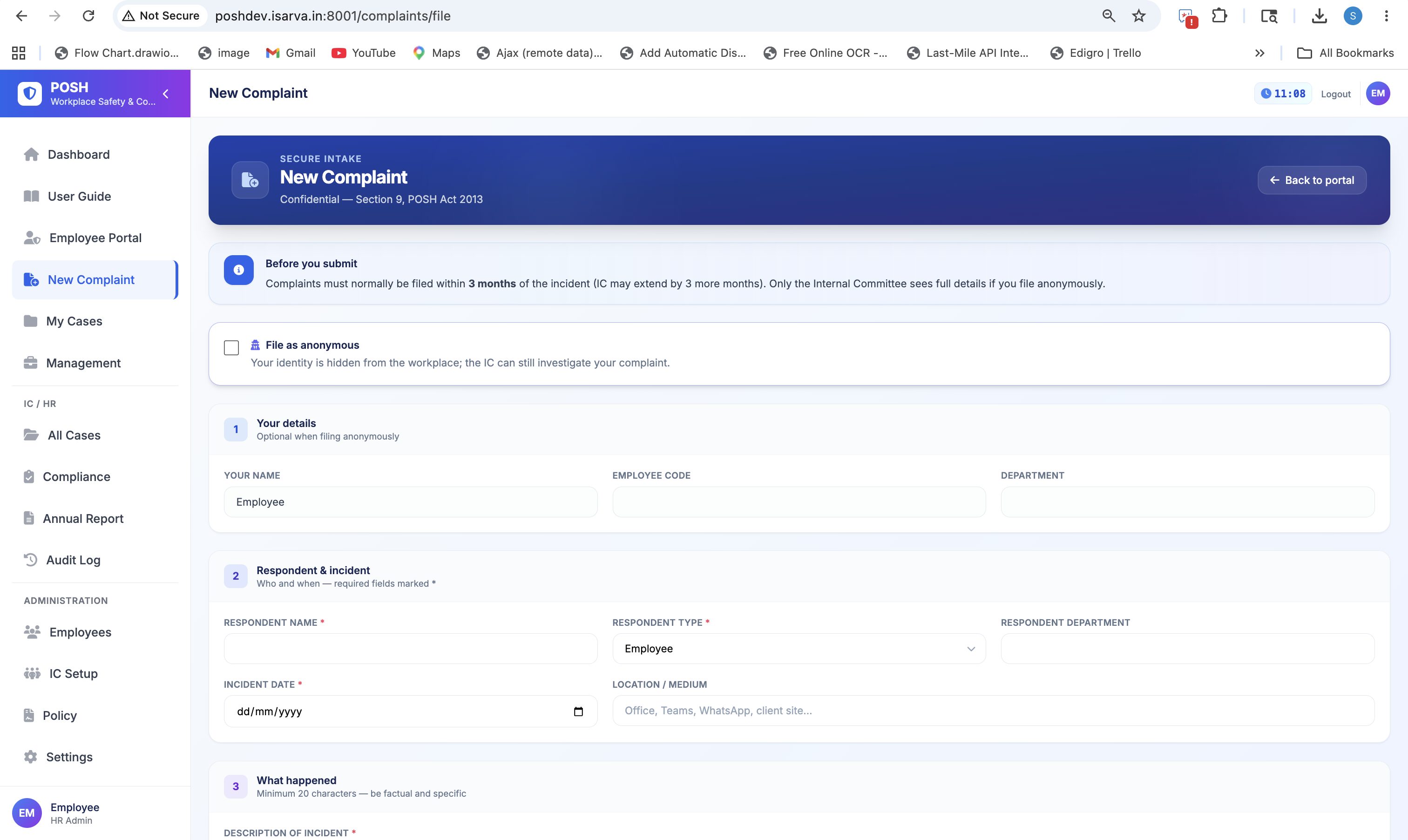
Public intake
24/7 anonymous filing
Module Explorer
Every feature, one click away
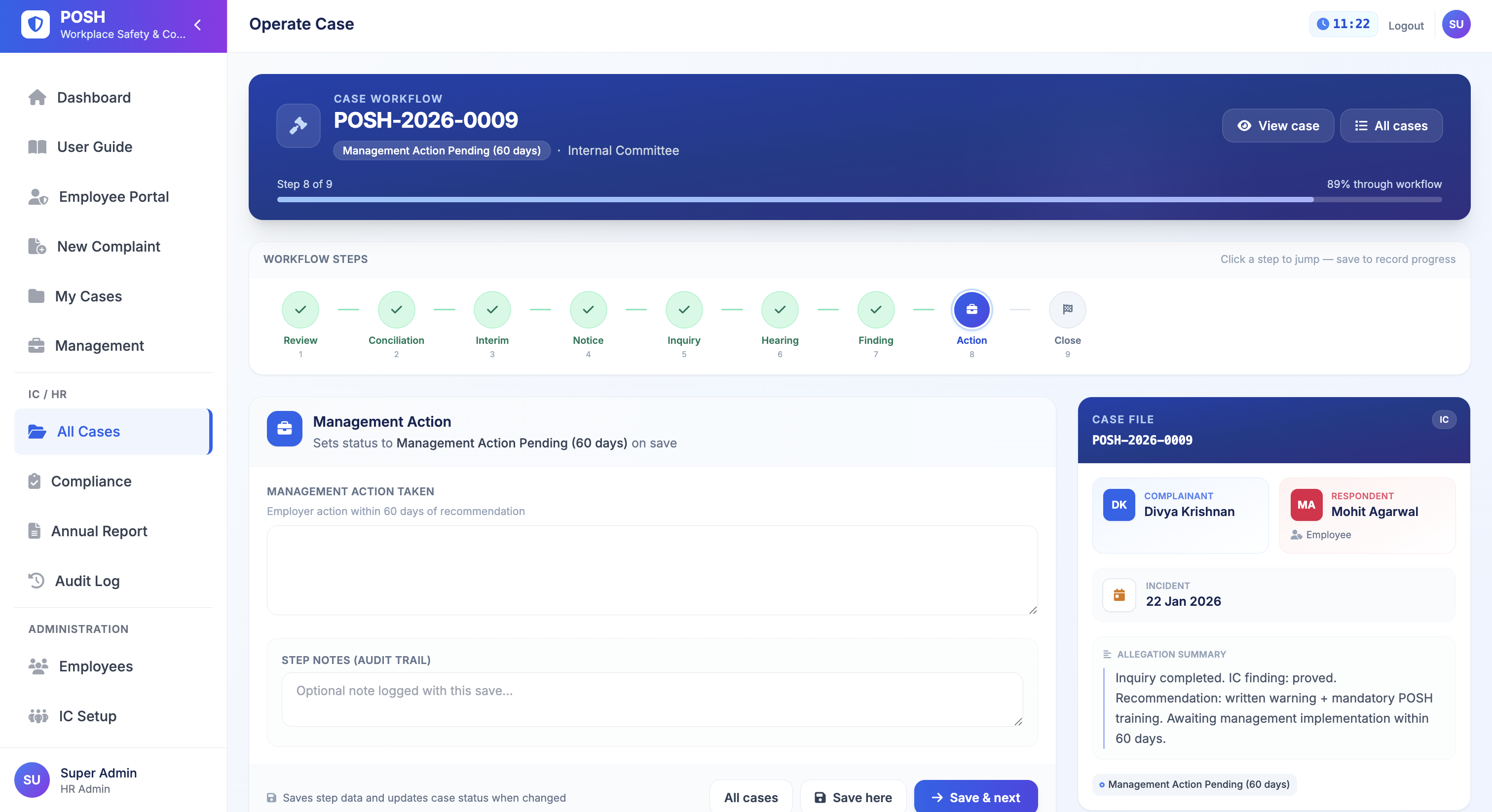
Filter by role area, pick a module, and preview the screen. Tap the screenshot to enlarge.
All modules
16 modulesEvery module in the product — pick one to preview the screen.
Dashboard for every role
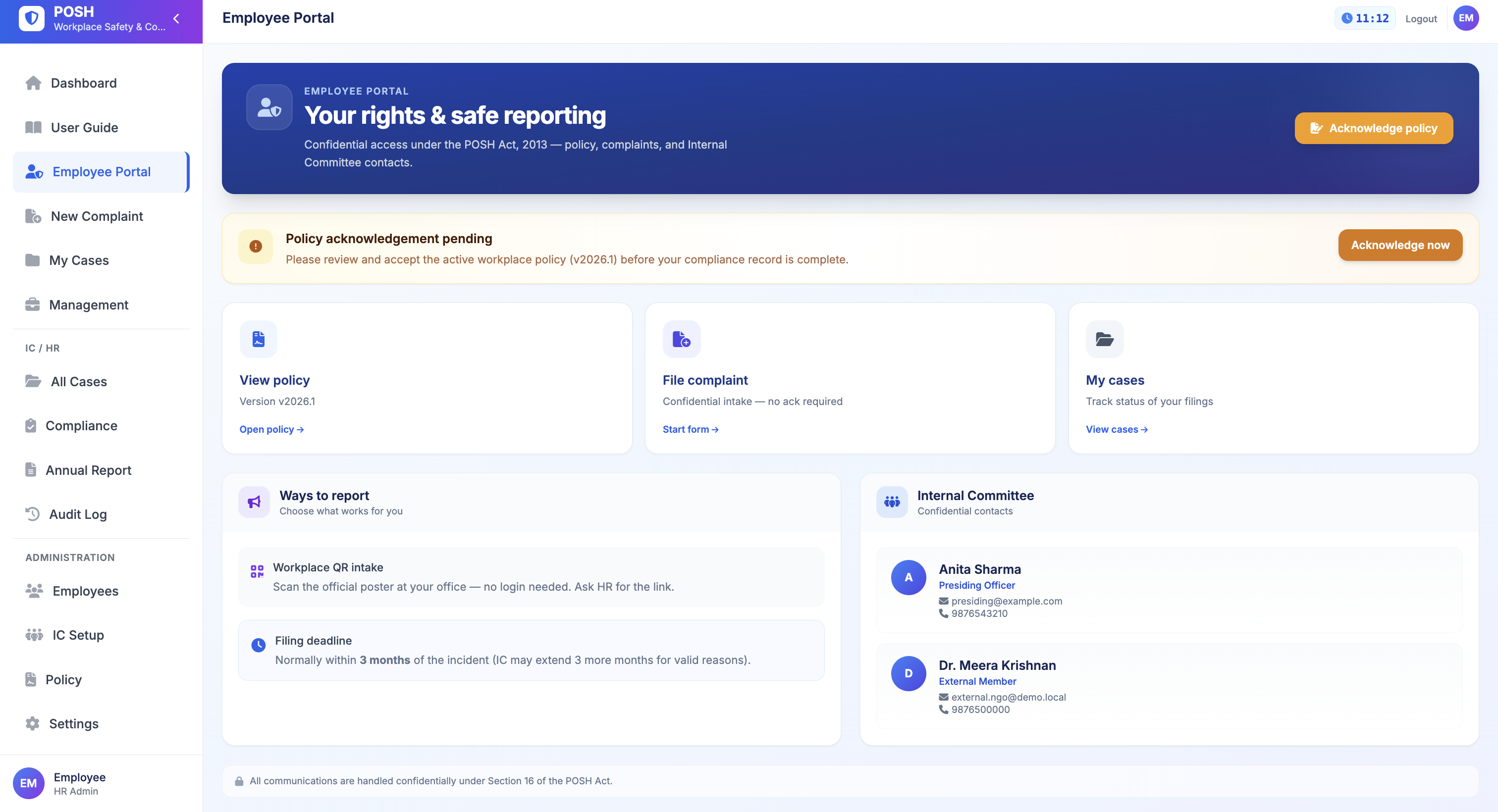
Each role sees a home screen that fits their work — IC members see open cases and deadline alerts, admins see Section 19 duty progress, employees see policy status and quick links.
- Overdue inquiry alerts (90-day limit)
- Section 19 employer duty progress
- Open cases & pending management actions
- Policy confirmation status at a glance
The Problem
Spreadsheets can't run a POSH program
Manual work misses legal deadlines, puts case privacy at risk, and fails inspections. One app replaces many separate tools.
Missed SLAs
90-day inquiry and 60-day management windows slip without automated tracking.
Private data at risk
Section 16 needs role-based access — not shared folders and email threads.
Annual report scramble
Section 22 reports assembled manually from scattered records every year.
Missing inquiry steps
IC members need clear steps for Sections 9–12 and POSH Rules.
Legal Deadlines
Deadline tracking built in
Every critical deadline from the POSH Act and Rules — tracked automatically across modules.
How It Works
With HRMS or on its own
Same product for HRMS customers and POSH-only buyers — switch modes in Settings without changing other apps.
For HRMS clients
HRMS mode (Payroll linked)
- Employee sync from Payroll
- Single login via HRMS
- One login for IC members
- Read-only employee directory
POSH-only buyers
Standalone mode
- Native POSH login
- Local employee directory
- Add and manage all employees
- Ready to demo quickly
Legal Coverage
Law and your modules
POSH Act rules grouped by process — each one links to the module your team uses.
Committee & Intake
Form the IC and receive complaints
Set up Internal Committee
IC SetupDisplay policy at workplace
PolicyComplaint filing & IC review
New Complaint · IC Operate · QR IntakeInquiry Process
From agreement to final report
Settle by agreement
IC Operate — Step 290-day inquiry & report
IC Operate — Steps 5–7Temporary relief & appeal
IC Operate — Steps 3 & 9Employer Duties
Privacy, duties & reporting
Keep cases private
Role-based access + reports14 employer duties
ComplianceAnnual report filing
Annual ReportImplementation
Go live in 7 steps
Administrators follow a built-in checklist — from organisation settings to IC training — so nothing is missed before your first complaint.
- 1Settings — profile & setup mode (HRMS or standalone)
- 2IC Setup — members, quota, roles
- 3Policy — publish workplace POSH policy
- 4Employee sign-off — portal access & policy confirmation
- 5QR posters — public intake URL displayed
- 6Compliance — Section 19 duties & prevention log
- 7User Guide — IC training articles built in
Get started
Build a safer workplace
starting today.
Use POSH Compliance with your HRMS or as a standalone product — from IC setup to annual reporting.