
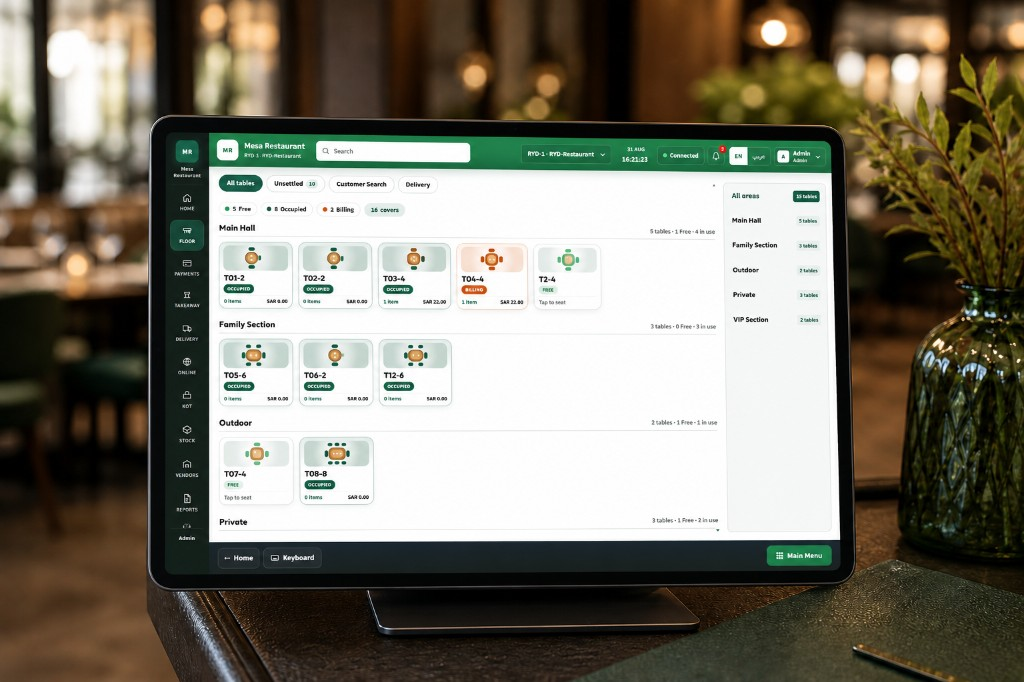
See your dining room on one screen
Color-coded tables by area — Main Hall, Family, Outdoor, VIP — show free, occupied, or billing status so hosts seat guests without walking the floor.
Restaurant POS Software
One system for Saudi restaurants: see every table by area, send orders to the kitchen, accept HungerStation and Jahez deliveries, track stock, and print VAT-ready receipts — without switching between five different apps.
Why restaurants choose this POS
On a busy night, your staff need one clear picture: which tables are free, which orders are in the kitchen, and which checks are ready to pay. Owners and managers set up areas, menus, and roles once — then everyone works from the same live data.
Color-coded tables by area — Main Hall, Family, Outdoor, VIP — show free, occupied, or billing status so hosts seat guests without walking the floor.
Open a table, add guest count, pick menu items, and fire to kitchen in a few taps — even when the dining room is full.
Arabic and English screens, 15% VAT on receipts, and ZATCA-minded invoicing so compliance does not slow down dinner service.
Restaurant POS features
Each module below is part of the same service flow: seat a guest on the floor plan, send the order to kitchen, settle at the counter, check stock, and review sales at close. No duplicate entry between screens.
Step 1 of every dine-in service: open the floor view. Tables are grouped by dining area with color status — green free, amber occupied, rose billing — so hosts and managers never guess what is happening on the floor.
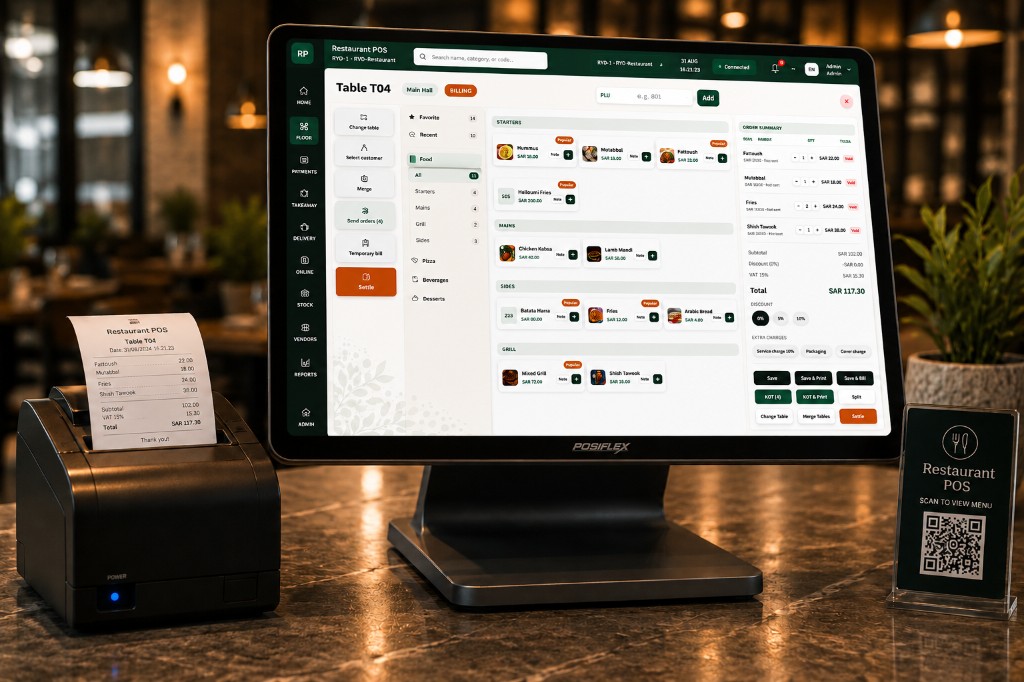
When guests are ready to leave, cashiers settle from the same order screen: full menu, split by guest or item, print the receipt, and show 15% VAT clearly on every total — ready for Saudi tax requirements.
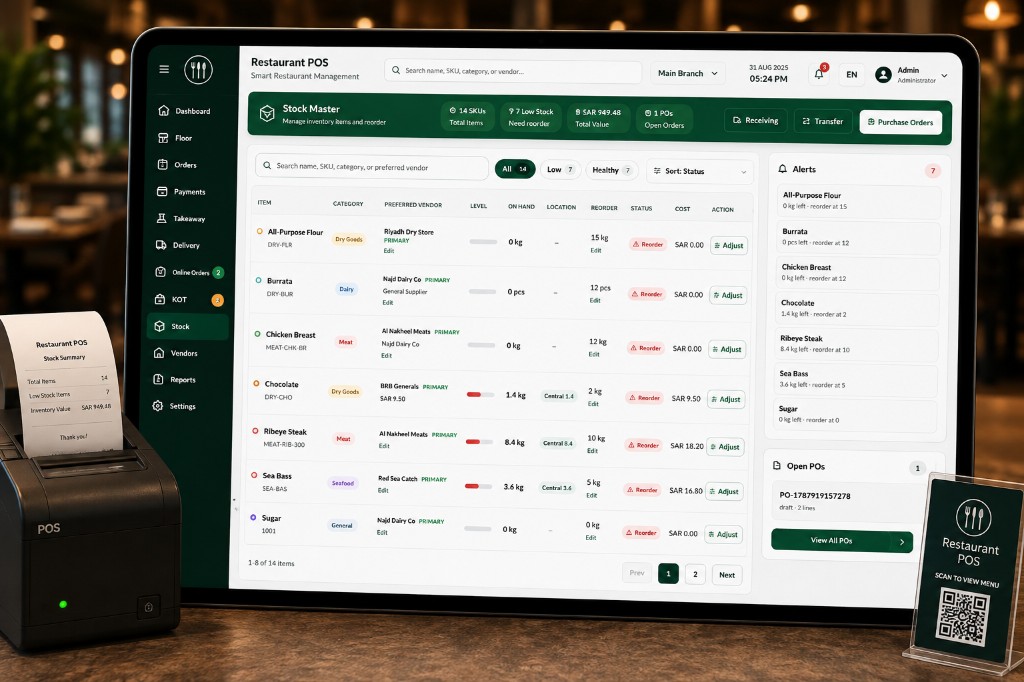
Kitchen and back-office staff see ingredient levels in real time. Low and critical alerts flag items before you run out mid-shift — and vendor records help you reorder before the weekend rush.
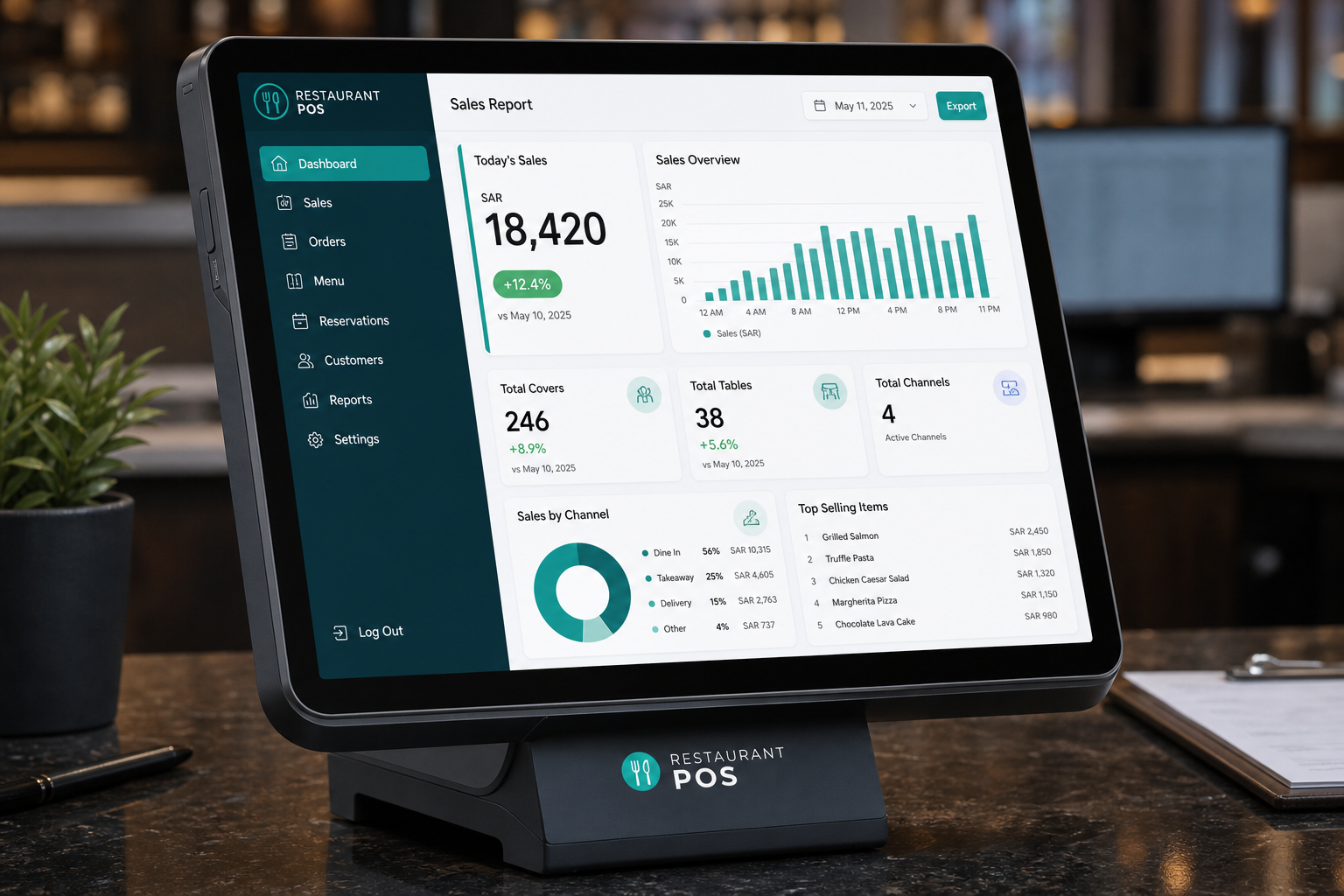
Owners and managers see the same figures cashiers collected: daily sales, table covers, top-selling dishes, and hourly trends — ready for finance at day close.
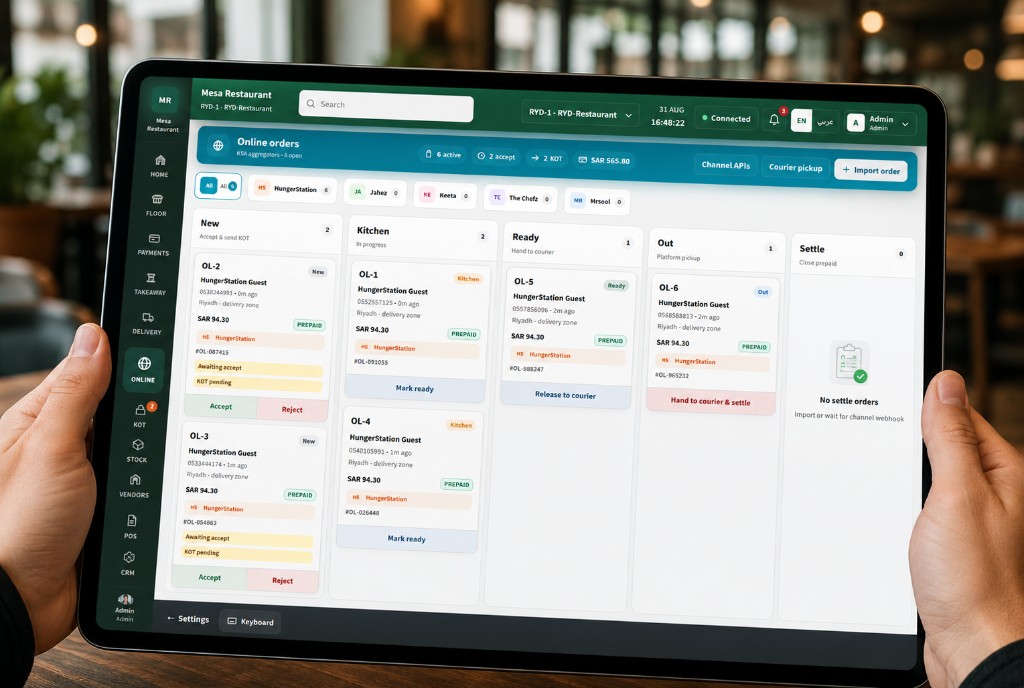
Delivery and app orders land on a single Kanban: New → Kitchen → Ready → Out. Accept or reject channel orders in one tap — no re-typing into your restaurant POS.
Included with every plan
Kitchen tickets, payments, multi-branch setup, ZATCA invoicing, staff roles, and offline sync are built in — so your floor, kitchen, and back office stay connected.
KOT tickets show table number, items, and fire time — kitchen stays calm at peak.
Collect payment and split bills from the floor — fewer steps at the counter.
Each branch keeps its own floor layout, menu, and reports under one account.
Structured invoice flow with clear receipt status for Saudi tax compliance.
Cashiers, kitchen, and managers only see the screens their job requires.
Orders queue when Wi‑Fi drops and sync automatically when you reconnect.
Dine-in, takeaway, delivery, and online — with Arabic and English on every screen, so your whole team and your guests stay aligned.
Billing from the POS links directly to Saudi invoicing rules: 15% VAT on every receipt, clear status for finance, and Arabic and English guest-facing totals — so front-of-house and back-office stay on the same numbers.
How it works
This is the same path your team runs every shift — from the floor plan you saw above to the printed receipt at the counter. Setup once, then repeat every service.
Create table layouts by zone — hosts know exactly where to seat each party.
Add guest count, pick dishes from the menu, and send to kitchen from the floor view.
Mark tables occupied or billing so hosts and cashiers always know what is next.
Print the VAT receipt, close the check, and turn the table green for the next guests.
Who it’s for
The four steps above touch different people — owners track results, managers run the floor, waiters take orders, and kitchen fires dishes. Each role sees only what they need.
Track sales across branches, control staff access, and grow without adding more software.
Monitor live table status by area and keep peak-hour seating under control.
Simple order screens and clear bill totals — fewer errors when the line is long.
Readable KOT tickets with table and item details — calm pass even when full.
Outlet types
Whether you run a single café counter or a multi-branch chain, the same restaurant management system adapts to your format — floor plan, counter billing, or delivery-only kitchen.
 Food courts & canteens
 Café
Café Fine dine
 Bar & brewery
 Pizzeria
 QSR
QSR Desserts
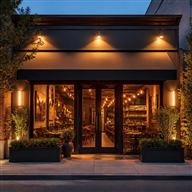 Large chains
 Bakery
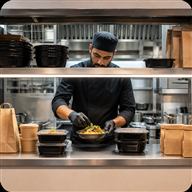 Cloud kitchens
FAQ
Clear answers about floor management, ZATCA billing, delivery channels, and multi-branch setup.
Restaurant POS Software is a restaurant management system for Saudi outlets — live floor plan, kitchen tickets, counter billing, inventory, online delivery orders, and ZATCA-minded VAT receipts in one place.
Yes. Receipts show 15% VAT clearly, and the billing flow is built for Saudi tax requirements with clear status for finance and bilingual guest-facing totals.
Yes. Create custom areas such as Main Hall, Family, Outdoor, and VIP. Tables show live free, occupied, or billing status so hosts seat guests without walking the floor.
Yes. Online and delivery orders from HungerStation, Jahez, Keeta, and other channels land on one Kanban board so you can accept, prep, and dispatch without re-typing orders.
Yes. Every screen supports Arabic and English so your team and guests stay aligned across dine-in, takeaway, and delivery.
Yes. Each branch keeps its own floor layout, menu, and reports under one account, so owners can track sales across outlets from a single system.
Offline mode queues orders when connectivity drops and syncs automatically when you reconnect — so service keeps moving on busy nights.
Owners, floor managers, cashiers, waiters, and kitchen teams each get the screens their role needs — from cafés and QSR to fine dine, cloud kitchens, and multi-branch chains.
Explore other solutions that might interest you
Complete management solution for mobile service centers and repair shops.
Next-gen AI computer vision and edge video analytics for PPE safety compliance, manufacturing QC, perimeter radar, and retail telemetry.
Complete booking and property management system for hotels, lodges, and guest houses.