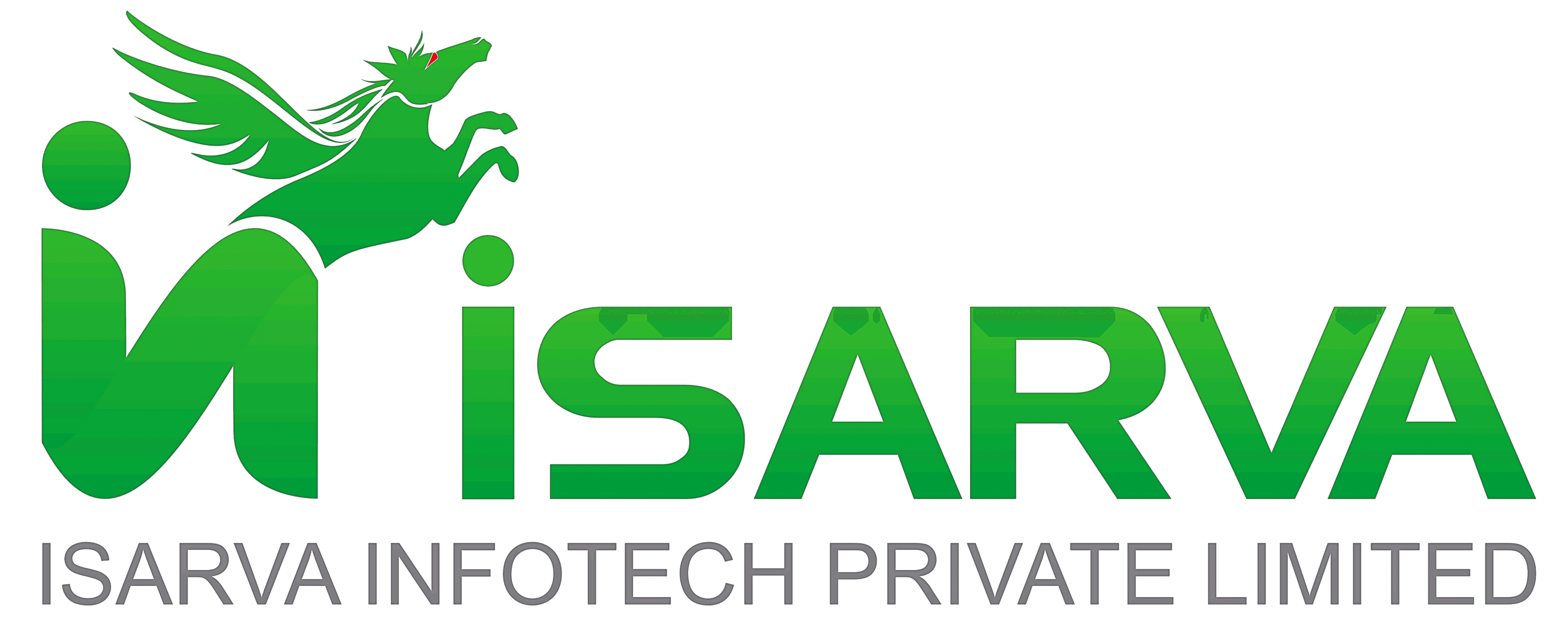
Contact records
Name, phone, company, email, and tags. Import lists with CSV tooling built for broadcast audiences.
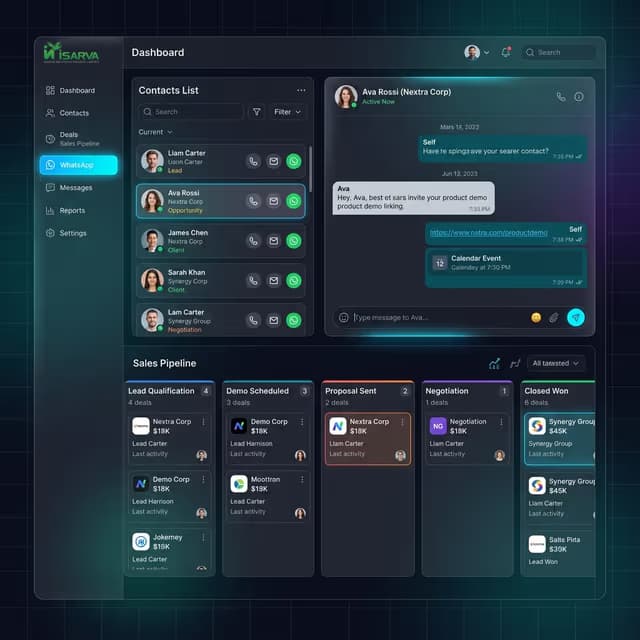
IsarvaCRM is a shared team inbox for WhatsApp that connects your business number so agents can collaborate, set up WhatsApp automation, track deals, and send broadcast campaigns — without juggling personal phones.
You connect Meta once. After that, customers message your business number and your team works inside IsarvaCRM.
In Settings, add your WhatsApp Business Account credentials and webhook so Meta can deliver messages to the CRM.
When someone writes to your business number, the chat appears in the shared Inbox for your team.
Agents assign conversations, send text or media inside Meta's customer-care window, or use approved templates.
Broadcast templates to opted-in contacts, move deals in pipelines, and review delivery in Reports.
Every WhatsApp number can become a CRM contact. Link deals so sales and support share the same history.
Name, phone, company, email, and tags. Import lists with CSV tooling built for broadcast audiences.
Track marketing consent so campaigns go to people who said yes — and clean lists before the next send.
Kanban stages for deals. Open a deal from the inbox contact sidebar without leaving the chat.
Three panels: who is waiting, the live thread, and contact context — so nothing gets lost between chats.
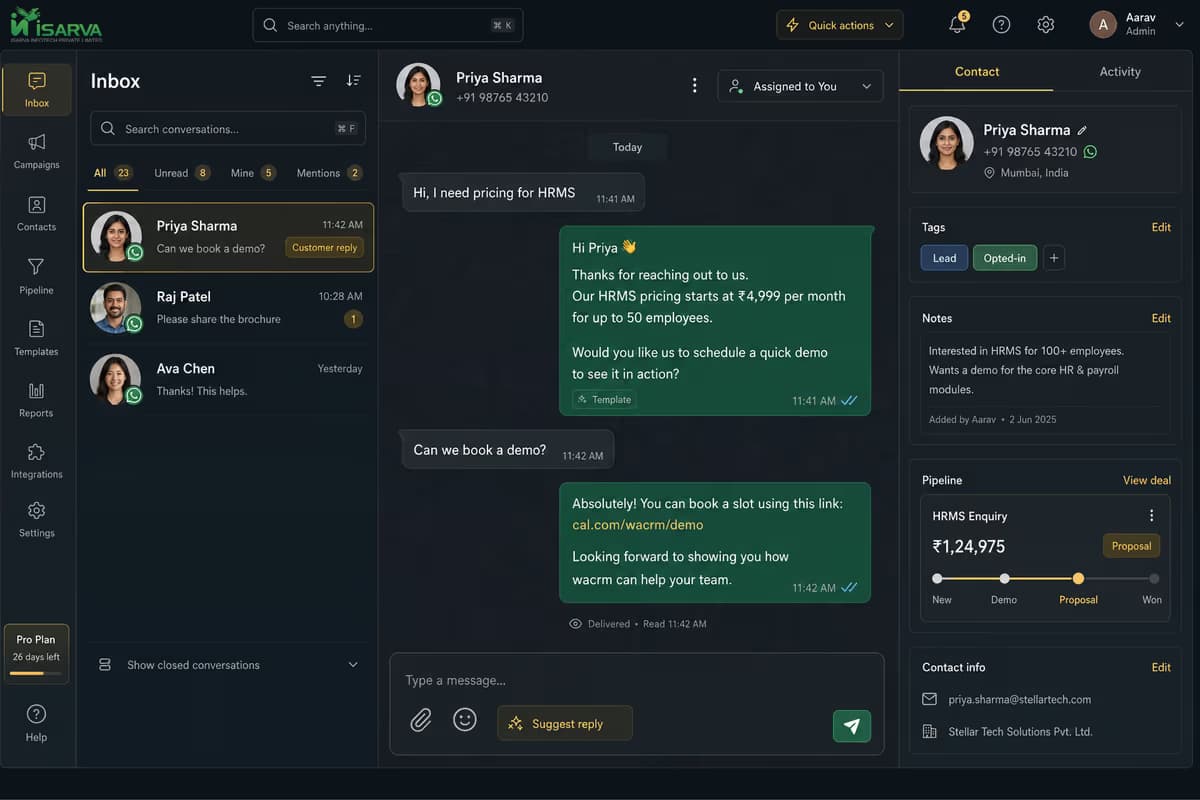
Search chats, spot unread, and prioritise people who just replied.
See sent, delivered, read, and failed statuses synced from Meta.
Tags, notes, assignment, and deals stay beside the chat while you reply.
Text, images, documents, and templates — following WhatsApp’s 24-hour window rules.
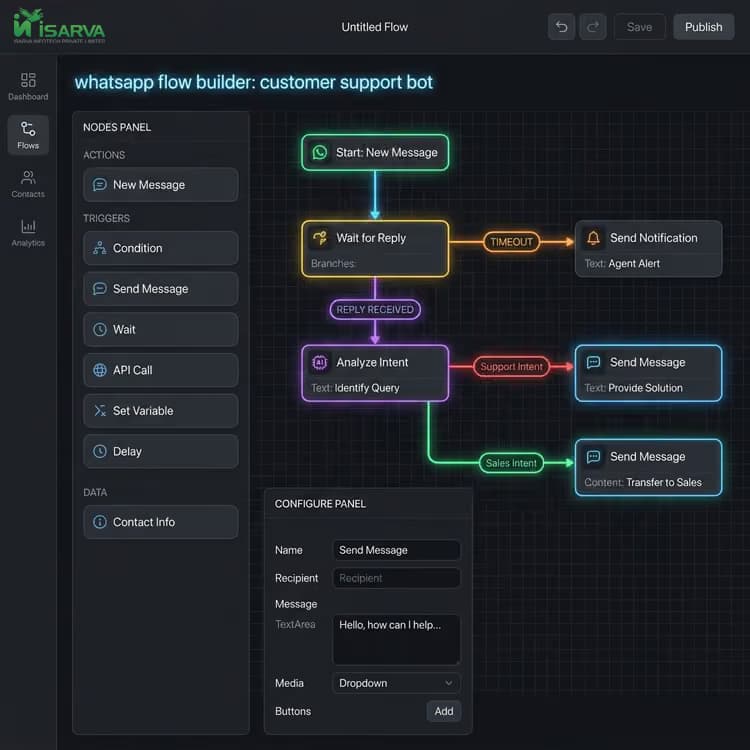
Powerful WhatsApp automation to handle routine inquiries — keep your human agents focused on high-value sales.
Drag-and-drop steps: send messages, branch on replies, collect fields, call webhooks.
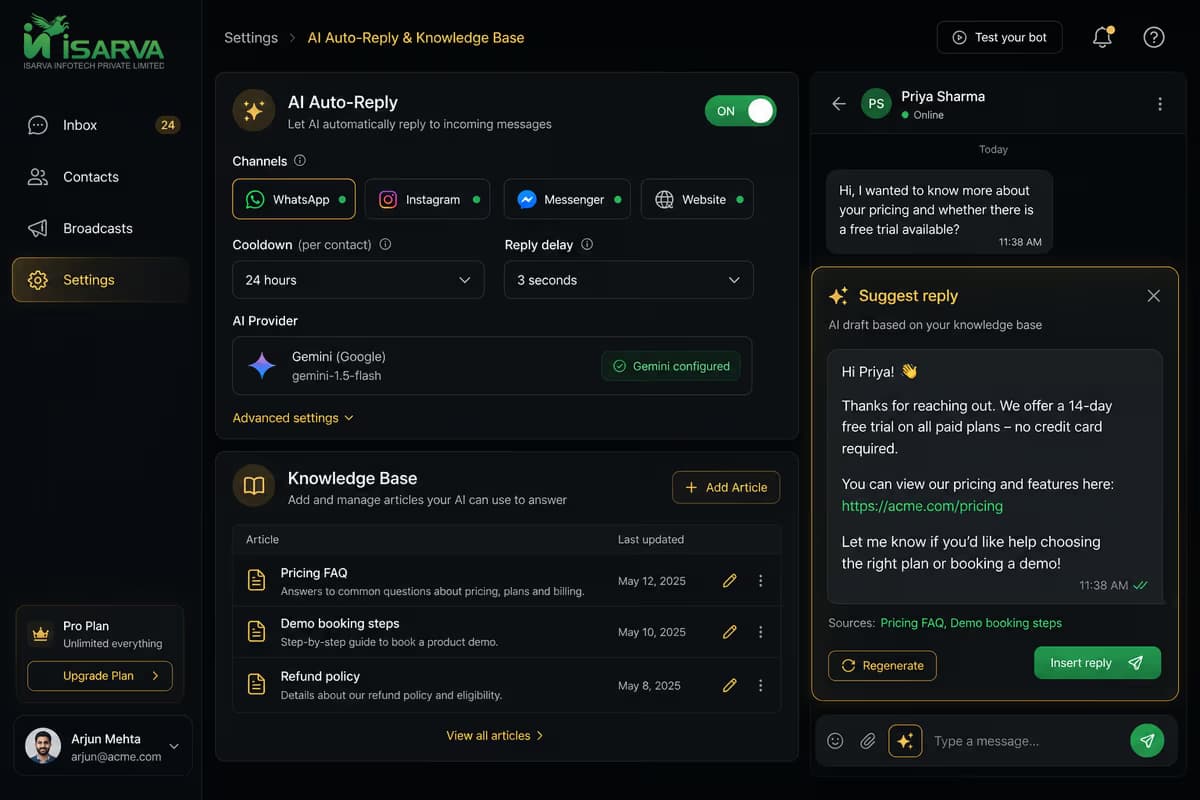
One tap drafts an answer from recent chat turns and your knowledge articles.
Optional first replies with delay and cooldown so the bot does not spam. Skip when an agent is assigned.
Route qualified leads or complex questions to a person in the inbox.
As a complete WhatsApp marketing tool, IsarvaCRM lets you broadcast Meta-approved template campaigns at scale and track delivery in real time.
Create and sync templates in Settings. Use them in the inbox or in a campaign once Meta marks them approved.
Pick a template, choose an audience (tags, CSV, filters), personalise variables, then send or schedule.
See delivered, read, replied, and failed counts. Resume pending recipients and filter contacts by delivery issues before the next run.
Reports use your real CRM and Meta delivery data for the date range you pick — not vanity demo numbers.
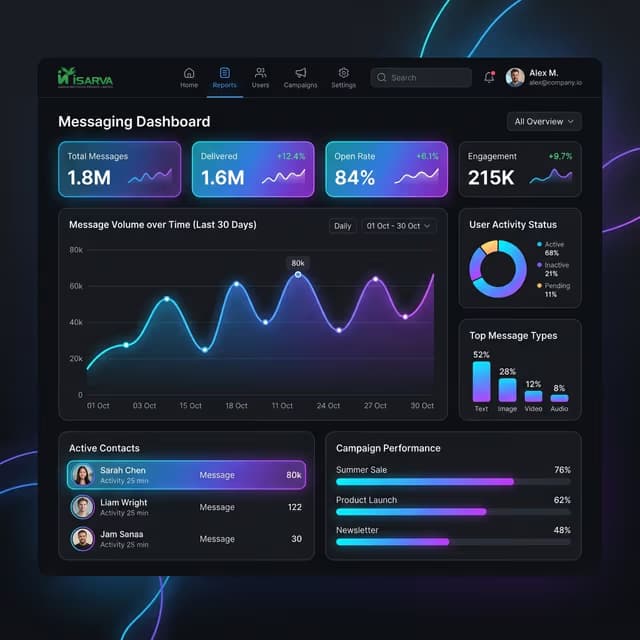
Per-campaign delivered, read, replied, and billable counts — export CSV or PDF.
Which contacts got which template, with status filters for sent, failed, and more.
Category spend from Meta, plus agent performance, lead funnel, and call summaries.
No fake trial button — open the app and complete these steps so messaging works end to end.
Save Phone Number ID, WABA ID, access token, and webhook verify token. Register the number so Meta can deliver events.
Sync or create templates and wait for Meta approval before broadcasting.
Send a test message from a phone on your allowlist, then reply from IsarvaCRM and confirm it arrives on WhatsApp.
Run a small campaign, then check delivery and contact-level sends in Reports.
Yes — for 50 seats we offer Standard and Pro. Want a 14-day trial link or a demo slot this week?
Get answers to the most common questions about our shared team inbox for WhatsApp, WhatsApp automation, and CRM features.
A shared team inbox for WhatsApp allows multiple team members or support agents to log in simultaneously, manage customer conversations, and assign incoming chats from a single WhatsApp Business number. Instead of sharing one phone, your sales and support teams can collaborate, leave internal notes, and route leads seamlessly within one workspace.
Yes, IsarvaCRM serves as a complete WhatsApp marketing tool. Outside the 24-hour customer service window, you can create Meta-approved message templates and send targeted broadcast campaigns at scale. You can segment your audience using tags or CSV imports, track real-time delivery and read receipts, and monitor campaign performance directly from the dashboard.
Our platform provides powerful WhatsApp automation capabilities to help you streamline repeat tasks. You can build custom visual chat flows using a drag-and-drop builder, enable AI-powered auto-replies for instant first responses, and configure seamless human handoff rules so qualified leads or complex questions automatically reach an agent in the inbox.
IsarvaCRM connects directly to Meta's Official WhatsApp Business Cloud API. Once you input your WhatsApp Phone Number ID, WABA ID, and webhook access tokens in the Settings menu, Meta routes all incoming and outgoing messages directly into your CRM workspace with full syncing for sent, delivered, and read statuses.
Every WhatsApp number that messages your business can automatically become a structured CRM contact record. You can attach custom tags, track marketing consent, open deals, and move leads through Kanban sales pipeline stages right from the inbox sidebar while chatting with a prospect.
Still have questions? Our team is happy to help.